Visual Comparison
Last updated: September 17, 2026
Visual Comparison lets you compare your live site against Figma designs by overlaying a design frame on the page. Adjust opacity, position, and scale to spot differences, then run an AI-powered diff to identify design drift automatically.
Prerequisites
Note: Before using Visual Comparison, you need a Figma account connected to OverlayQA and a Figma file URL linked to your project. You can set both up in your project settings within the OverlayQA sidebar.
Start a Comparison
- Open the OverlayQA sidebar on the page you want to compare.
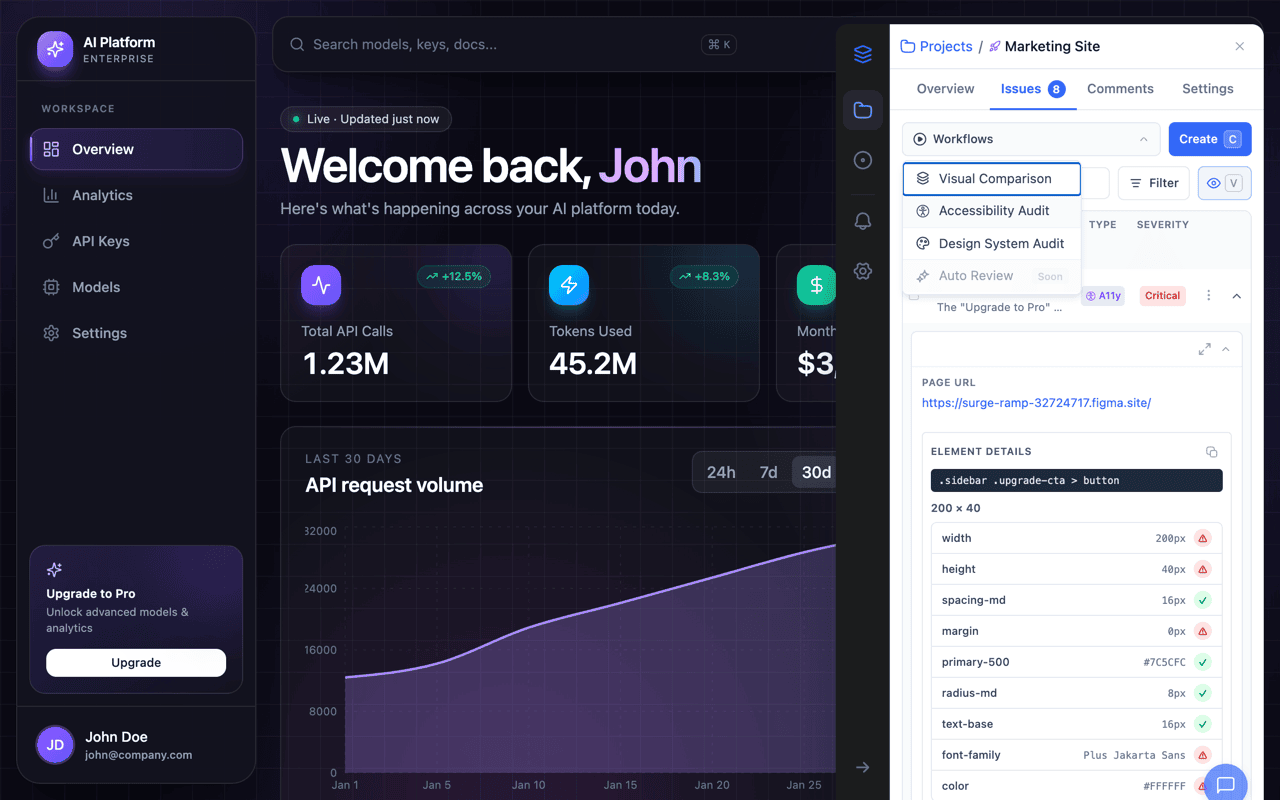
- Click the Workflows button (play icon) in the toolbar.
- Select Visual Comparison from the dropdown.
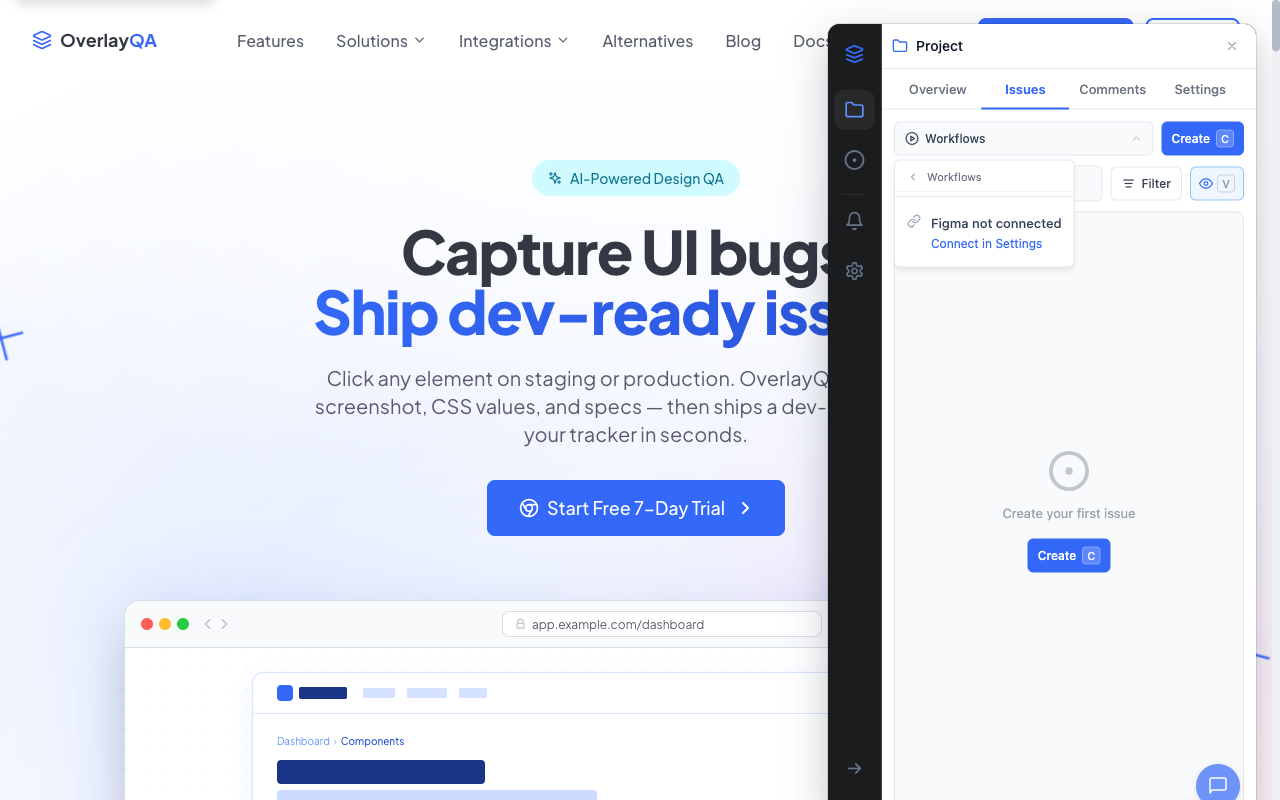
If Figma is not connected, you'll see a prompt to connect in Settings. If your project doesn't have a Figma file linked, you'll need to add the Figma file URL in project settings first.
Select a Frame
The frame picker loads all top-level frames from your linked Figma file. Each frame shows a thumbnail preview, name, and dimensions. Use the search bar to filter frames by name. Click a frame to select it as the overlay.
Overlay Controls
Once a frame is selected, it appears as a semi-transparent overlay on the current page. You can adjust the overlay using these controls:
| Control | How It Works |
|---|---|
| Opacity | Adjust from 0% to 100% (default 50%). Lower opacity lets you see the live page through the design. |
| Drag to move | Click and drag the overlay to reposition it on the page. |
| Resize | Drag any corner handle to scale the overlay. |
| Alignment | Use alignment options to snap the overlay left, center, right, top, middle, or bottom. |
| Lock | Toggle the lock button to prevent accidental dragging or resizing. |
| Responsive mode | When enabled (default), the frame auto-scales to fit the viewport width while maintaining aspect ratio. |
Scrub Mode
Scrub mode replaces the opacity slider with a vertical clip-reveal divider. The design frame clips to one side of the divider and the live page shows on the other, so you can slide back and forth to compare pixel-by-pixel.
- In the overlay controls, click Scrub (next to the Opacity toggle) to switch modes.
- A vertical divider line with a draggable handle appears on the page.
- Drag the handle left or right to reveal more of the design or the live page.
- Use the Position slider in the controls panel for precise positioning (0-100%).
- Press Arrow Left or Arrow Right to nudge 1% at a time. Home jumps to 0%, End jumps to 100%.
Video: Scrub mode in action: drag the divider to compare the Figma frame against the live page.
Note: The overlay is automatically locked while scrub mode is active to prevent accidental repositioning. Your previous opacity and lock state are restored when you switch back to opacity mode.
Element Inspection
When creating issues, OverlayQA's element inspector shows a tooltip with detailed CSS properties as you hover over any element on the page. This works in annotation mode (press C or click Create Issue):
- CSS selector: The element's unique selector path.
- Size: Width and height in pixels.
- Layout: Display type, margin, padding, and gap.
- Typography (text elements): Font family, font size, font weight.
- Colors: Background color and text color with hex values and color swatches.
- Token matching: A green checkmark if a color maps to a CSS custom property (design token), or a red indicator if it doesn't.
By default, the inspector selects the nearest interactive parent element (button, link, form input). Hold Cmd (Mac) or Ctrl (Windows) while hovering to select the deepest element under your cursor. Press D to drill into the first child of the currently highlighted container.
AI Diff Analysis
To run an automated comparison, OverlayQA captures a screenshot of the live page and sends it alongside the Figma frame image for AI analysis. The comparison pipeline runs three steps:
- Capture page: A full-page screenshot is taken (the overlay is temporarily hidden).
- Fetch Figma frame: The selected frame image is retrieved from Figma.
- Analyze: Both images are sent to the server for AI-powered diff analysis.
Reading the Results
The analysis returns a similarity score (0-100), a confidence level, and a list of detected differences categorized by type (color, spacing, typography, layout) and severity (critical, high, medium, low).
| Score Range | Meaning |
|---|---|
| 80-100 | High fidelity. The implementation closely matches the design. |
| 60-79 | Moderate drift. Some differences worth reviewing. |
| Below 60 | Significant drift. Multiple areas deviate from the design. |
Create Issues from Findings
From the comparison results, findings arrive already selected, apart from low-confidence ones tagged Possible. Clear the checkbox on anything you do not want filed, then click Create issues (N) in the toolbar, where N is how many are selected. Each issue includes the comparison context and the specific deviation detected.