Accessibility Audit
Last updated: July 3, 2026
OverlayQA's Accessibility Audit scans any page for WCAG 2.2 Level AA violations using axe-core, keyboard navigation checks, and DOM structure analysis. Review violations by severity, ignore false positives, and bulk-create issues from findings.
Video: See the Accessibility Audit in action: scan a page, review violations, and create issues.
Start an Accessibility Audit
- Open the OverlayQA sidebar on the page you want to audit.
- Click the Workflows button in the toolbar.
- Select Accessibility Audit.
- Optionally check Include Figma comparison if you have a Figma frame linked (this adds AI-powered visual comparison to the audit).
- Click Scan Page.
Note: The audit cannot run on restricted pages like chrome:// URLs or the Chrome Web Store. If the button is disabled, navigate to a regular web page.
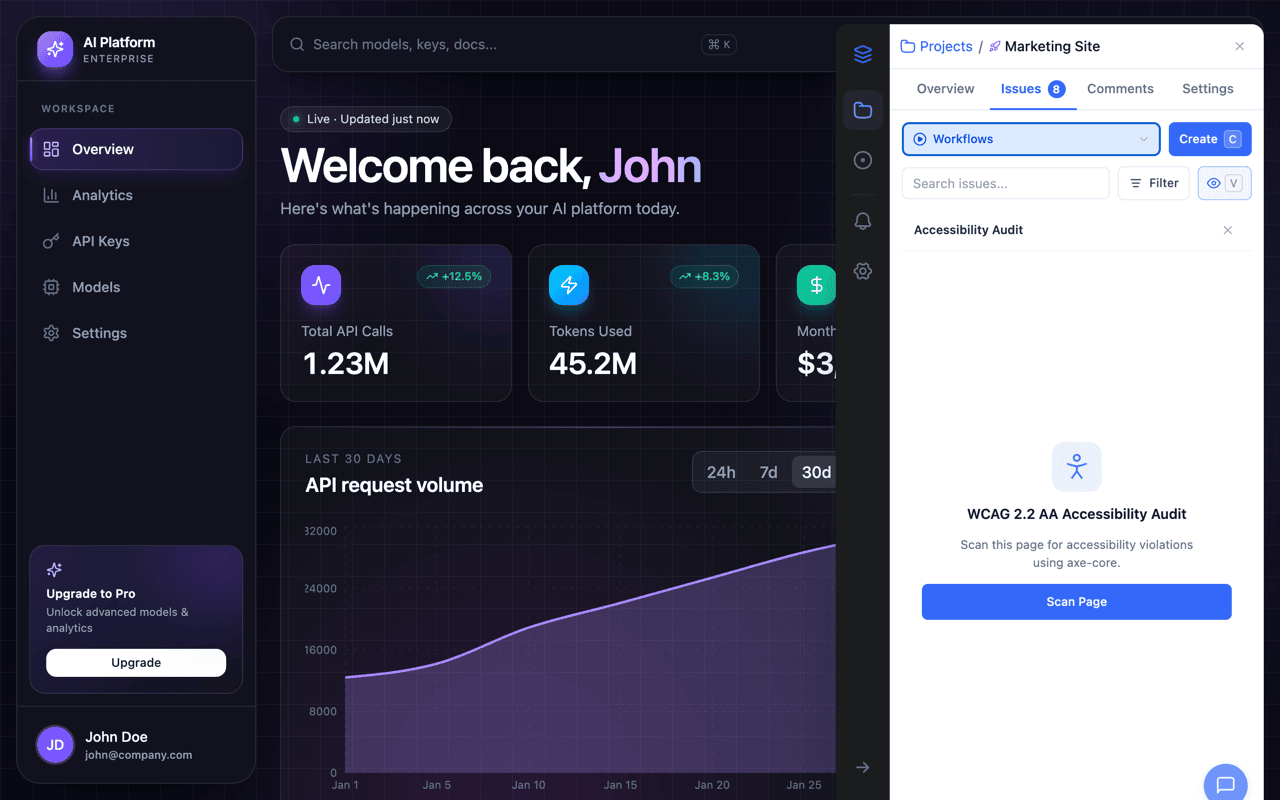
What Gets Scanned
The scan runs a four-step pipeline:
- Page capture: A screenshot is taken and the page is scrolled to trigger any lazy-loaded content.
- axe-core analysis: Runs WCAG 2.0 Level A and AA rules against the full page DOM.
- Keyboard and DOM checks: Tests keyboard navigation (focus visibility, keyboard traps, tab order, touch target sizing) and validates DOM structure against 16 WCAG criteria.
- AI visual analysis: Optionally analyzes the page screenshot (and Figma frame if included) for visual accessibility issues not caught by static tools.
Review Violations
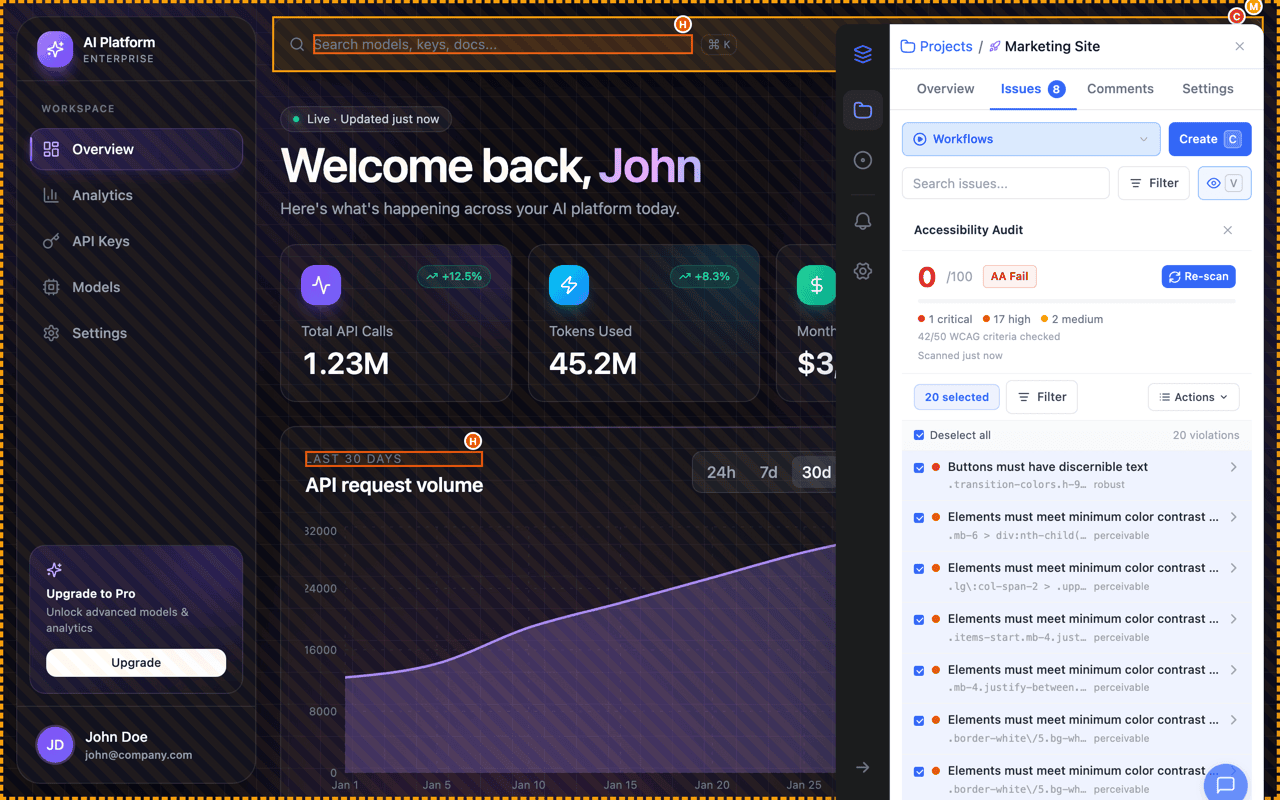
Results display as a scored list of violations. Each violation shows:
- Severity: Color-coded: red (critical), orange (high), blue (medium), gray (low).
- Title: The rule name (e.g., "Minimum Contrast").
- Element selector: The CSS selector of the affected element.
- Category: Perceivable, Operable, Understandable, or Robust.
- WCAG criterion: The specific WCAG success criterion (e.g., "1.4.3").
Click any violation row to expand it and see the full detail: HTML snippet, help text, AI suggestions, and a link to the WCAG requirement.
Filter and Sort
Use the filter dropdown in the toolbar to narrow results:
- By severity: Show only critical, high, medium, or low violations.
- By category: Filter by Perceivable, Operable, Understandable, or Robust.
- Sort order: Sort by severity (default), location (top-to-bottom on page), or WCAG criterion.
Page Overlay
Violations are highlighted directly on the live page with colored borders and severity badges. Click a severity badge on the page to scroll to that violation in the sidebar. Click a violation in the sidebar to scroll the page to the affected element.
Ignore Violations
Not every violation needs immediate action. You can ignore violations at two scopes:
- Ignore on this page: The violation is hidden on the current page only.
- Ignore across project: The violation is hidden for this selector and criterion across all pages in the project.
Ignored violations move to a separate "Ignored" section at the bottom of the panel. You can unignore any violation at any time to restore it to the main list.
Create Issues from Violations
You can create issues from violations individually or in bulk:
Single Issue
Expand a violation and click Create Issue. The issue is pre-filled with the violation title, WCAG criterion, severity, and a cropped screenshot of the affected element.
Bulk Issue Creation
Select multiple violations using the checkboxes (or Select All in the toolbar), then click Create Issues. Each selected violation becomes a separate issue with its own screenshot. Duplicate violations that already exist as issues are automatically skipped.
Tip: After bulk creation, you'll see a summary showing how many issues were created and how many were skipped as duplicates. An Undo option lets you delete all newly created issues if needed.