Bulk Actions
Last updated: October 2, 2026
Bulk actions let you update, export, share, or delete multiple issues at once. Select issues from the sidebar list and use the Actions menu to apply changes in a single step.
Select Issues
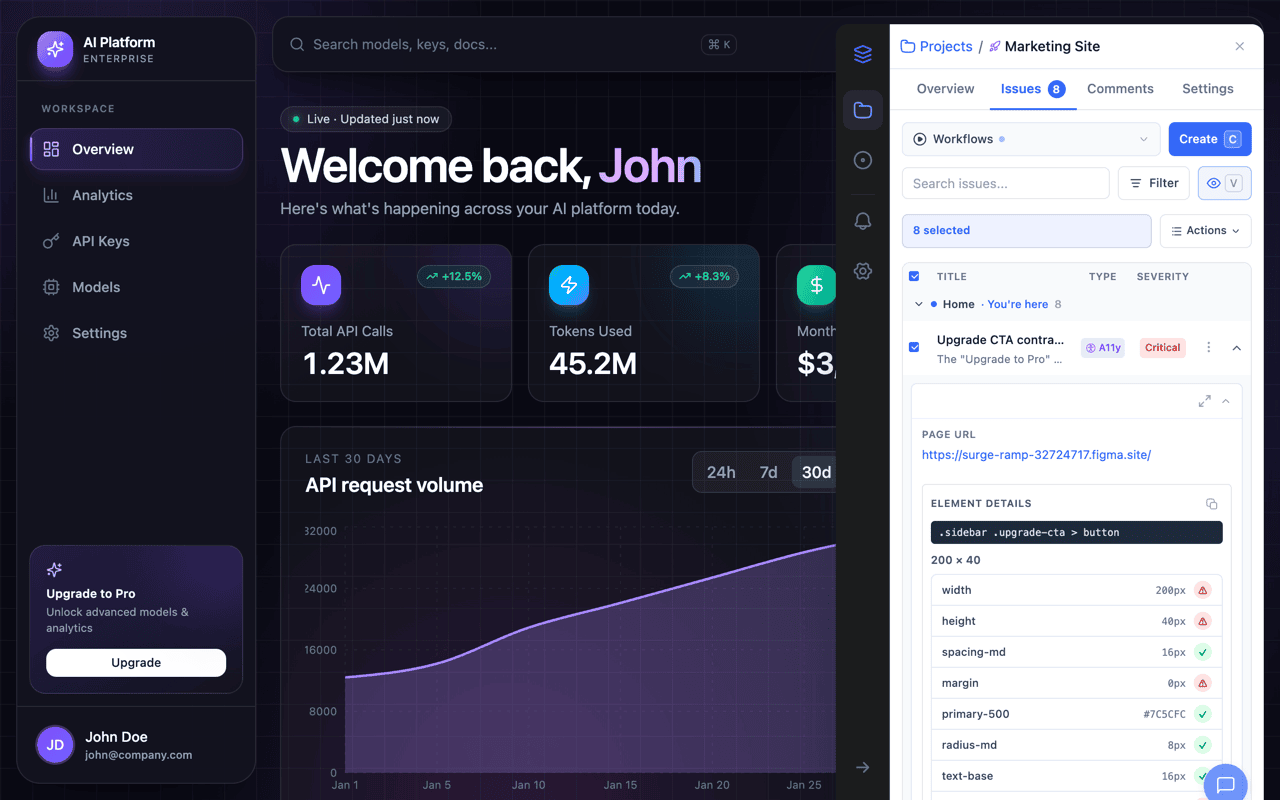
Each issue in the sidebar list has a checkbox. Click individual checkboxes to select specific issues, or use the Select All checkbox in the table header to select every issue on the current page. A count badge shows how many issues are selected (e.g., "3 selected").
Available Actions
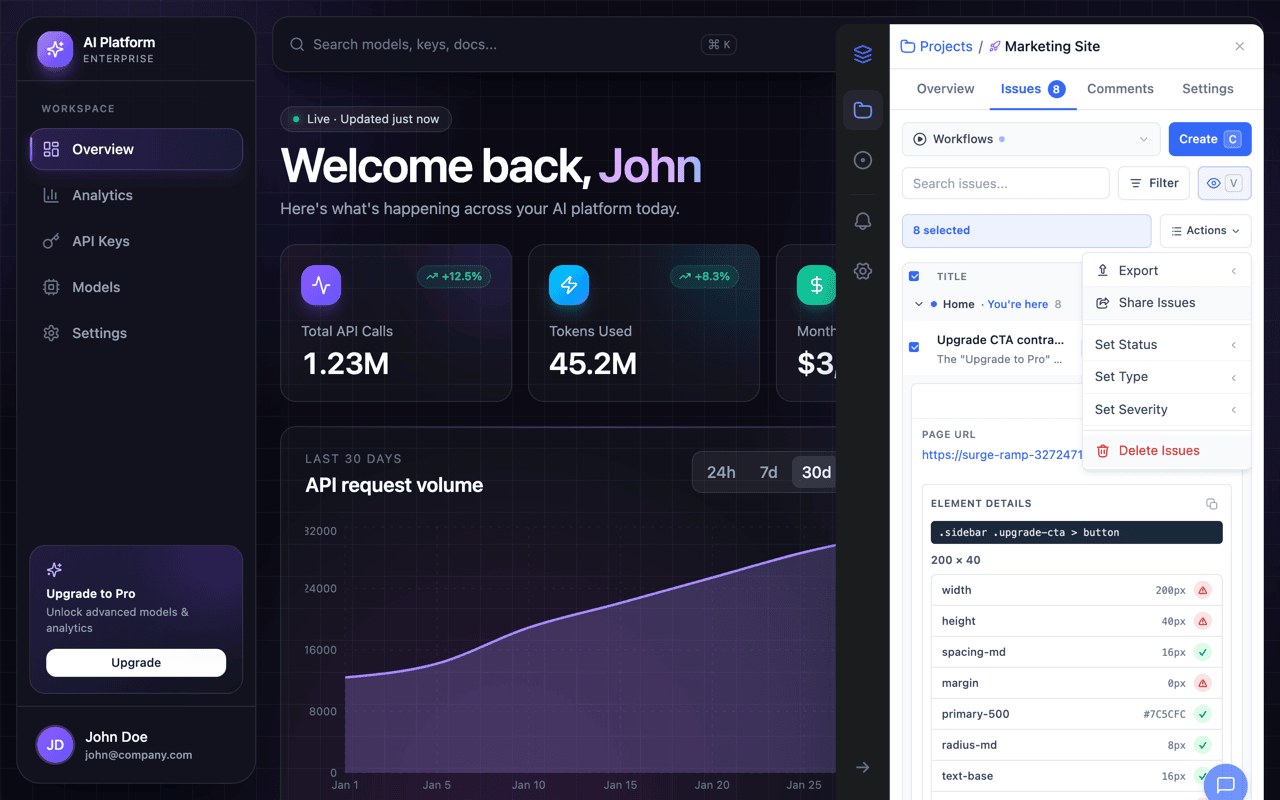
When at least one issue is selected, an action bar appears with an Actions dropdown. The dropdown contains:
| Action | What It Does |
|---|---|
| Export | Send selected issues to a connected integration (Jira, Linear, Notion, Asana, or Trello). A submenu shows available integrations. |
| Share issues | Create a public share link for the selected issues. Choose an expiration (7, 30, or 90 days), then copy or open the generated link. |
| Set Status | Change the status of all selected issues to Open, In Progress, Resolved, Verified, or Closed. |
| Set Type | Change the type of all selected issues (e.g., Bug, Design, Copy, Missing Feature). |
| Set Severity | Change the severity of all selected issues to Critical, High, Medium, or Low. |
| Move to project… | Move the selected issues into another project in your workspace. They keep their comments and evidence and get new display IDs there. |
| Ignore | Take the selected issues out of the Active issues view without deleting them. Un-ignore restores one later; see Labels, Assignees, and Filters. |
| Delete | Permanently delete all selected issues. A confirmation prompt shows the count before proceeding. |
After a Bulk Action
After applying a bulk action, the selection clears and the action bar disappears. For share links, the generated URL is automatically copied to your clipboard. For delete actions, a confirmation dialog appears before anything is removed.
Tip: Bulk actions are available in the extension sidebar and the Team Review drawer. The dashboard Issues page has its own bulk bar with Change status, Move to project…, Ignore, Export, and Delete. Export and share require at least one connected integration or the share feature. Status, type, and severity updates apply instantly to all selected issues.